
Financial Calculators Pro
BishinewsFinance
4.775.00 Reviews
- Version
- 3.5.5
- Installs
- 10.00K
- Age Rating
- Everyone
Screenshots
Our Review of Financial Calculators Pro
 Analysis by Appyee
When I need to compare several financial possibilities without opening a spreadsheet, I want a calculator that gets me to a useful answer quickly and makes the assumptions understandable. Financial Calculators Pro is built for that kind of practical check: it brings financial calculations together in one app rather than leaving me to hunt for separate tools. I find it most valuable as a way to explore “what if?” questions before making a decision, not as a substitute for professional financial advice.
Quick checks before a big decision
For a straightforward question, such as how a different loan amount might affect repayments, the appeal is speed of access: I can choose a relevant calculator and focus on the inputs instead of assembling a formula from scratch. That does not mean every result is automatically quick to interpret. Financial terms and assumptions still matter, so I take a moment to check what I entered and what the output represents before relying on it.
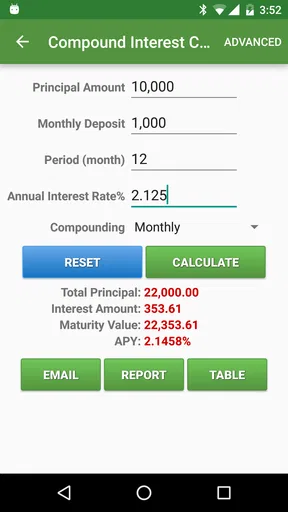
A useful habit is to change one input at a time. For example, when comparing a smaller deposit with a larger one, I would hold the other assumptions steady and see how the result changes. That makes the calculation easier to explain to someone else and helps avoid mistaking a change in several assumptions for the effect of just one. For a more involved plan, I would jot down the inputs alongside the result, so I can return to the same scenario later without trying to remember what I entered.
Where repeated use pays off
The app makes more sense when I have several related questions than when I need only one basic sum. A person comparing financing options, estimating investment growth, and thinking through retirement savings may appreciate having those different kinds of calculations in one place. Instead of treating each result as a verdict, I would use the calculators to create a small set of scenarios: a cautious estimate, a middle estimate, and a more optimistic one. The spread between them can be more informative than a single neat-looking number.
That approach also helps with a common limitation of financial calculators: the answer can look more certain than the assumptions behind it. An investment projection, for instance, is a way to explore a possible path, not a promise about future returns. I would be especially careful to revisit the inputs when circumstances change, such as a new target date or a different amount I can afford to save. The app can help me do the arithmetic, but the judgment about what assumptions are reasonable remains mine.
Useful for planning, not a financial adviser
I would recommend this kind of tool to people who like to prepare before speaking with a lender or discussing a household budget. It can help turn vague questions into specific ones: how a payment might change, which assumptions are driving an estimate, or how much a savings target depends on regular contributions. That preparation can make a conversation more productive because I can arrive with examples rather than relying on a rough mental calculation.
I would not use a calculator result by itself to make a high-stakes commitment. Loan terms, fees, taxes, local rules, and personal circumstances can affect the real-world outcome, and a general calculation may not capture every detail. For a binding decision, I would compare the app’s estimate with the figures from the lender or a qualified adviser and ask about any differences. That is a sensible check, not a knock on the app: a calculator is strongest when it clarifies a question, not when it is asked to settle every question.
How it compares with simpler options
A phone’s standard calculator is better for quick arithmetic, and a spreadsheet may suit someone who wants to build a custom model, keep a long record, or inspect formulas in detail. Financial Calculators Pro sits between those choices. Its attraction is having financial calculations ready to use without first designing a worksheet, while its trade-off is that a purpose-built calculator may not fit every unusual situation or personal method of tracking money.
The currency converter is useful for a quick comparison while travelling or checking a foreign-currency amount, but I would still confirm the rate and any fees with the service that will handle the exchange. A calculator can help estimate; it cannot guarantee the amount ultimately charged. For day-to-day spending records, a dedicated budgeting app is likely a better fit. This app is more appealing when I am asking focused financial questions than when I need a complete picture of every transaction.
Who should give it a try
Bishinews’ finance app has a 4.7 average from 276 ratings, with 75 written reviews and 10K+ installs. It costs $6.99, is rated for Everyone, and its current version is 3.5.5; it was released on Apr 4, 2011 and requires Android 6.0 or later. Those details make it a paid option to weigh against free basic calculators, rather than an automatic choice for anyone who occasionally needs to add figures.
I think it is best suited to people who regularly compare loan, investment, retirement, or currency scenarios and value having specialist calculations close at hand. If I only need ordinary arithmetic, I would stick with the calculator already on my phone. If I need detailed budgeting, transaction syncing, or a customized financial model, I would look at a tool built specifically for that job instead. The deciding question is whether these financial calculations will save me enough time and effort to justify paying for a dedicated app.
Unlocking the Magic of Financial Calculators Pro
First off, Financial Calculators Pro isn’t your typical calculator that you’d find pre-installed on your phone. Oh no, this is a whole new level of calculating brilliance. From loan calculations to investment planning, this app covers a wide range of financial needs. It’s like having a financial advisor right in your pocket, minus the hefty fees.
A Wealth of Features
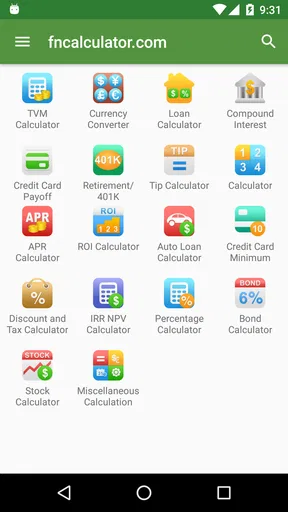
Let’s talk about what you can do with it. The app boasts a vast array of calculators. Want to figure out your mortgage payments? Done. Need to break down your retirement savings plan? Easy peasy. It’s designed to handle both simple and complex calculations with ease. I was amazed at how intuitive and user-friendly it is. Even if you’re a total newbie to finance, the app guides you through every step.
Here’s a little sneak peek at some of the calculators you’ll find:
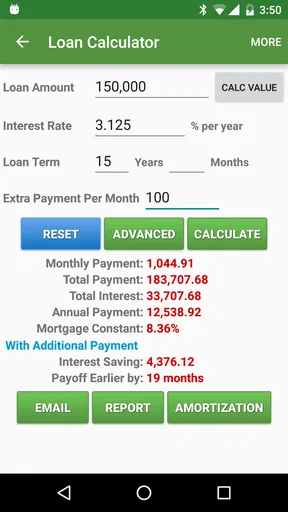
- Loan Calculator: Helps you determine monthly payments and total interest.
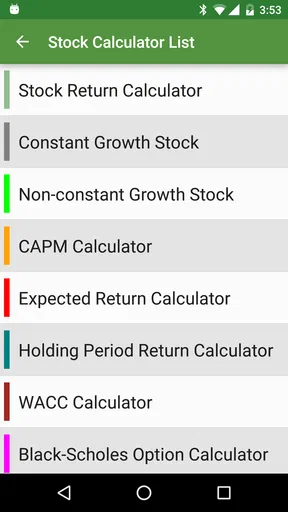
- Investment Calculator: Projects how much your investment will grow over time.
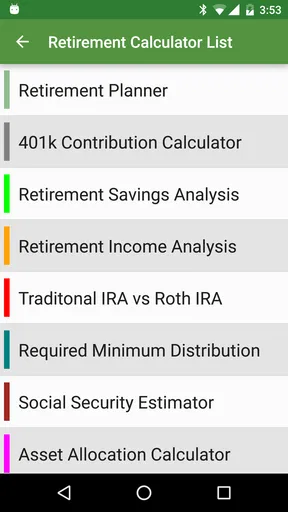
- Retirement Calculator: Assists in planning how much you need to save to retire comfortably.
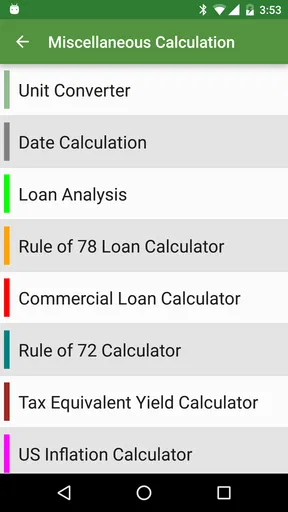
- Currency Converter: Handy for when you’re dealing with foreign currencies.
Intuitive and User-Friendly
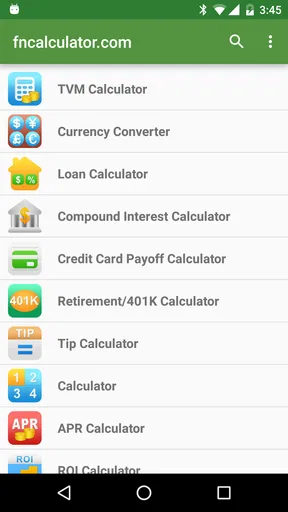
The design of the app is sleek, and navigation is straightforward. I didn’t find myself getting lost or confused, which is often the case with apps that offer so many features. Everything is neatly categorized, making it easy to find what you need.
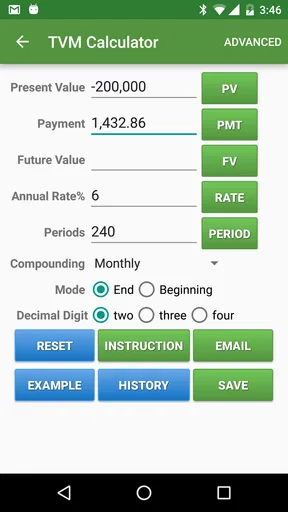
What I found particularly helpful was the detailed explanations provided with each calculator. It’s not just about punching in numbers; the app educates you on what those numbers mean. This was a game-changer for me, as understanding the "why" behind the calculations made it much easier to make informed financial decisions.
Real-Life Application
So, how does this translate to real life? Well, here’s a little scenario. Imagine you’re planning to buy a house. You whip out your phone, open Financial Calculators Pro, and get to work on the Loan Calculator. Within minutes, you know exactly what your monthly payments will be and how much interest you’ll pay over the life of the loan. No more guessing games or unpleasant surprises.
Or let’s say you’re thinking about your future and how much you’ll need to retire. The Retirement Calculator helps set a clear path, showing you how much you need to save each month to reach your goal. It’s like having a crystal ball for your finances.
Final Thoughts
In a world where financial literacy is more important than ever, Financial Calculators Pro is a must-have tool. It empowers you with knowledge and precision, making complex financial decisions a whole lot simpler. Whether you're planning for the future or just trying to manage your day-to-day expenses, this app is a reliable companion.
With its comprehensive features and user-friendly interface, it’s no wonder this app is a favorite among users. So, if you haven’t already, give it a try. Who knows? You might just find yourself feeling a little more confident in your financial journey.
Verdict
Strengths of Financial Calculators Pro
- Comprehensive financial tools available.
- User-friendly interface for easy navigation.
- Regular updates ensure accurate calculations.
- Includes loan, mortgage, and investment calculators.
- Offline access without needing an internet connection.
Limitations of Financial Calculators Pro
- Contains ads that might disrupt usage.
- Advanced features require a paid upgrade.
- Limited customization options for reports.
- Some calculators lack detailed explanations.
- No cloud sync for data across devices.
Similar Picks in This Category
View All
Google Wallet
Google LLC4.3

Airtel: Recharge, Bank & Loans
Airtel4.0

PayPal - Pay, Send, Save
PayPal Mobile4.2

DANA Indonesia Digital Wallet
PT Espay Debit Indonesia Koe4.5

Binance: Buy Bitcoin & Crypto
Binance Inc.4.8

Cash App
Block, Inc.4.7
Frequently Asked Questions
What features does Financial Calculators Pro offer?
Financial Calculators Pro provides a comprehensive set of tools for managing personal finances. It includes calculators for loans, mortgages, savings, investments, and retirement planning. The app also features currency converters and tax calculators, making it a versatile tool for both personal and professional use.
Is Financial Calculators Pro user-friendly for beginners?
Yes, Financial Calculators Pro is designed with a user-friendly interface that caters to users of all experience levels. Each calculator comes with detailed instructions and examples, making it easy for beginners to understand and utilize the app's features effectively.
Does Financial Calculators Pro require an internet connection?
Most features of Financial Calculators Pro can be accessed offline, which is convenient for users who need to make calculations on the go. However, features that involve real-time data, like currency conversion, may require an internet connection to ensure accuracy.
Are there any hidden fees with Financial Calculators Pro?
Financial Calculators Pro is a one-time purchase app with no hidden fees. Once downloaded, all features are available without additional charges. Occasionally, updates may introduce new features, but these are typically included in the initial purchase price.
How accurate are the calculations in Financial Calculators Pro?
The app is designed to offer high precision in all its calculations, using up-to-date algorithms and data. However, users should consider the latest financial data and personal circumstances for precise outcomes, especially when making significant financial decisions.
